
Passive Infrared (PIR) Sensors
Overview
PIR or Passive Infrared Sensors are commonly used in projects where students want a device capable of motion detection. These sensors detect movement by measuring changes in infrared radiation emitted by warm objects, such as people or animals, within their field of view. These sensors are known as "passive" sensors, as they merely listen to changes in energy, and do not emit any signals themselves. This passive characteristic makes them ideal for low power applications.
Staff at the ITLL tested the detection range of these sensors along with doing some research and found it could sense motion up to approximately 23 feet or 7 meters (depending on model and conditions). You may have seen these sensors before as they are commonly used for automatic lights, interactive exhibits, or security alarms. At the ITLL, you can find them controlling the lights within our lab spaces to save energy.
Students are welcome to come by and check out sensors from the Electronics Center. These are the sensors you can check out from the ITLL: link to inventory . If you do not see a sensor listed feel free to come in and chat with an Engineer about you project.
What is a PIR Sensor?
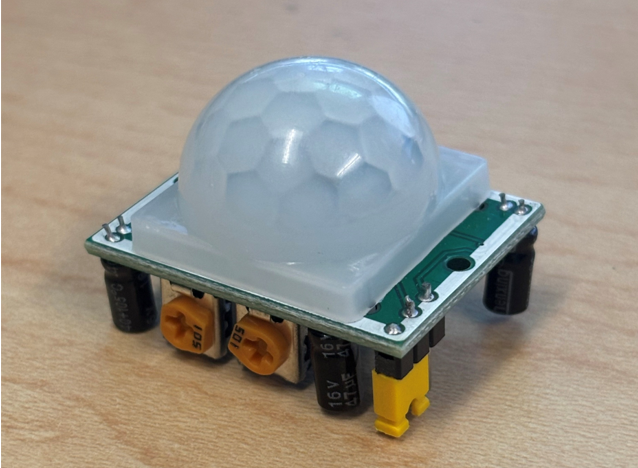
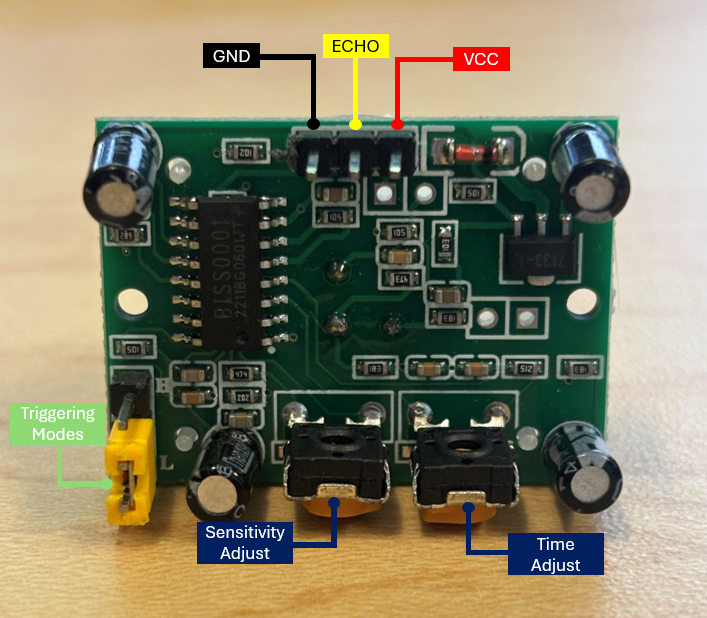
A PIR sensor comes with a small white dome shaped lens on top of the PCB. This lens, the Fresnel lens, helps focus light from any direction to the small pyroelectric sensor underneath. When motion occurs, half of this sensor detects a change in IR before the other, and the difference causes a signal change (from LOW to HIGH). These sensors also include a sensitivity and time delay adjustment potentiometer. Which allow you to change the range or distance the sensor can detect, and how long the sensor remains active (before switching back from HIGH to LOW). Below you can find an image labeling the potentiometers.
Wiring the Sensor
Important: Look up your specific sensors pinout and input voltage as they can differ. The pinout for the sensor we used in this demo was...
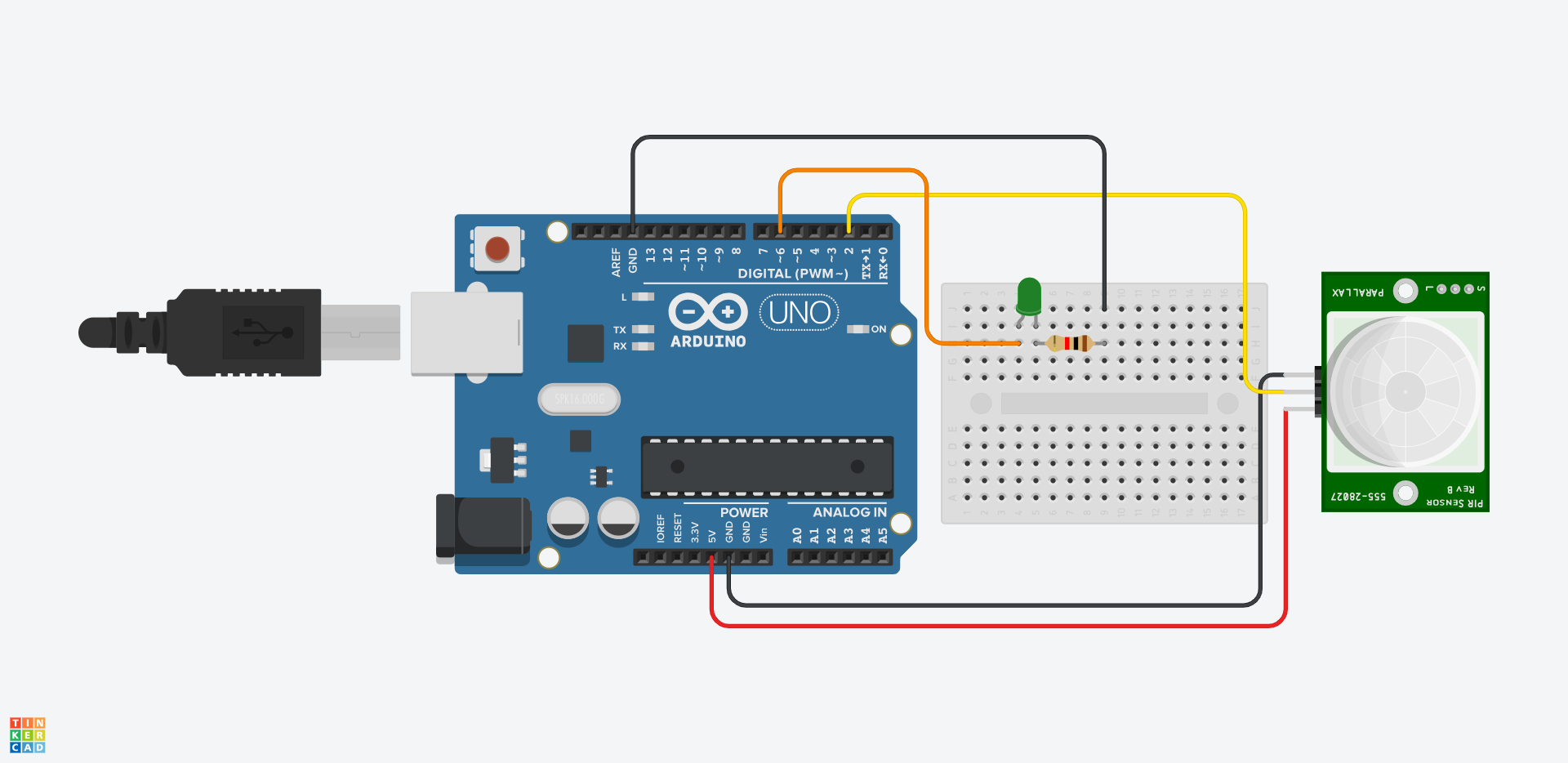
Example circuit setup:
- PIR sensor output connected to Arduino digital pin 2, VCC connected to 5V, and GND connected to GND.
- LED connected to Arduino digital pin 6 and 330 ohm resistor (resistor band color is different on picture).
Troubleshooting
- If sensor reading always HIGH or ON
- Sensor may be warming up (10-60 seconds after being turned on)
- Reduce sensitivity with potentiometer
- Ensure stable power supply - If no output changes
- Verify correct wiring
- Use Serial Monitor to debug readings - If false triggering
- Avoid pointing sensor at heat source (like a vent)
- Ensure no vibration of sensor mount
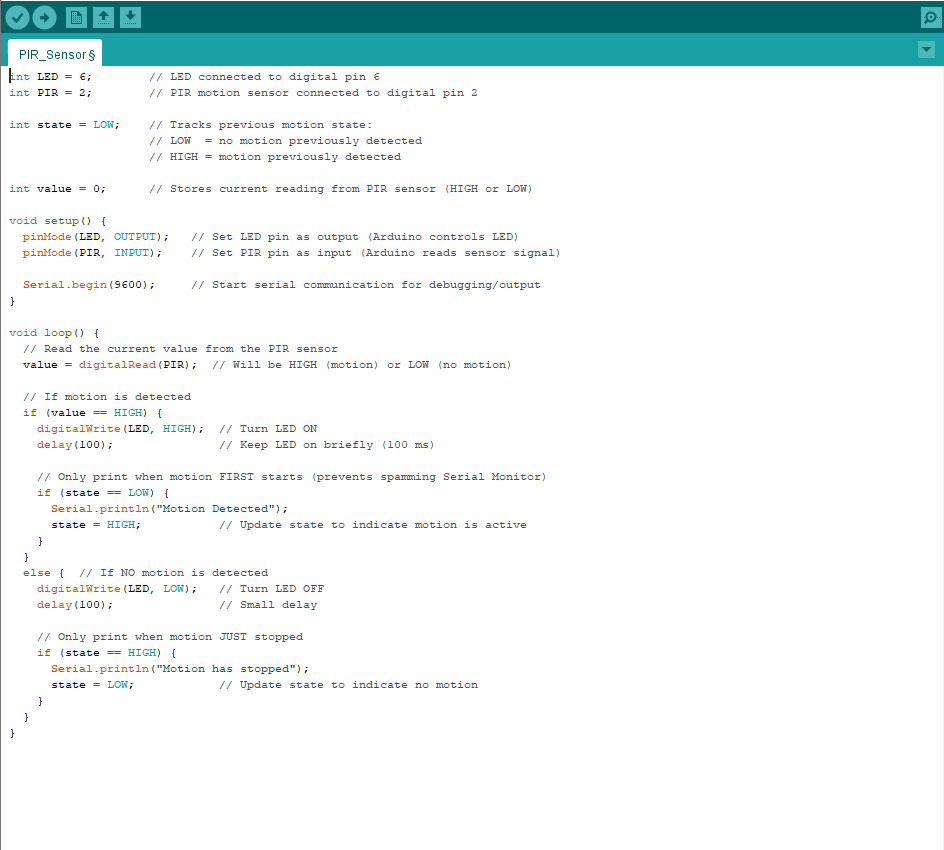
Simple Code
|