Load cells (force sensors)
ITLL load cell inventory (warning - this isn't updated with what is currently checked out)
So you want to measure force?
Load cells come in various form factors.
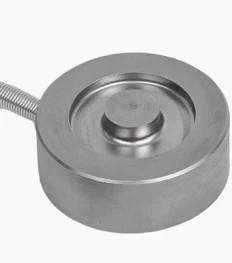
Often we use "pancake style" or "button" load cells to measure a uniaxial compression force.
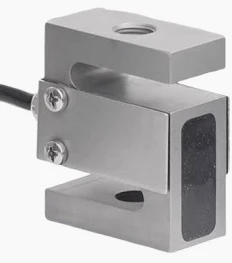
S-type load cells look like this:
Bridge-Based Sensors
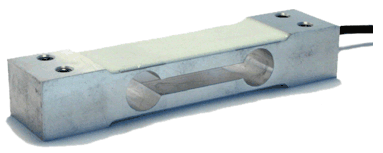
How bridge-basedBeam load cells worklook like this:
While they have difference appearances, they all rely on the same technology - they contain four strain gauges attached within the load cell. When a compressive load is applied, the internal strain gauges stretch or compress, which changes their resistance value and leads to a change in voltage across the circuit. This change in voltage is proportional to the amount of force applied. We measure this voltage using a DAQ, and apply mathematical equations to convert this voltage to what we are really interested in - force in lbs or Newtons!
Note: the load cells above measure compression forces, there exist load cells that can measure tension forces. Additionally, some load cells can measure both!
Load cell circuit or more generally: Bridge-Based Sensors
The load cells depicted above contain four strain gauges. You do not need to build the circuit below, the resistors (strain gauges) are already in your load cell! I include the information below so you understand how a load cell converts a physical force to voltage (which we can measure with a data acquisition (DAQ) device).
(Source: Pulled straight from NI-MAX):MAX by Claire)
Bridge-based sensors operate by correlating a physical phenomena, such as strain, temperature, or force, to a change in resistance in one or more legs of a Wheatstone bridge. The general Wheatstone bridge, shown in the following figure, is a network of four resistive legs with an excitation voltage, VEX, that is applied across the bridge. One or more of these legs can be active sensing elements.

A physical phenomena, such as a temperature shift or a change in strain applied to a specimen, changes the resistance of the sensing elements in the Wheatstone bridge. You can use the Wheatstone bridge configuration to help measure the small variations in resistance that the sensing elements produce corresponding to a physical change in the specimen. [Claire note - when the bridge is "balanced". it reads zero voltage when no load is applied]
[Claire note: the circuit depicted above is a full bridge circuit, where all four resistors (R1-R4) are strain gauges. If only two resistors are strain gauges, that would be a half bridge, and in a quarter bridge configuration only one of the resistors is a strain gauge. In a full or quarter bridge configuration, the remaining resistors are static resistors.]
There
Cool, areso twohow waysdo (I measure the voltage and probablytranslate more)it to what I'm really after - force?
To measure force data from your load cell.cell, you need to apply an excitation voltage across VEX+ and VEX - (these wires are often red and black, respectively, but check your data sheet to be sure) and measure the voltage difference between the two nodes labeled VCH (+/-) in the circuit above. Often the two wires you are measuring voltage across are yellow and white, or green and white, but check your datasheet to be certain. I will explain 1) how to use an NI 9237 to read force data, and 2) how to use a USB DAQ e.g., NI 6008. The second way is probably easier.
1. Using an NI-9237 DAQ to read force data
You will need:
- load cell
- NI breakout (RJ-50 [looks like an ethernet but has 10, not 8 pins] to screw terminal)
- RJ-50 cable (see note above about resemblance to ethernet cable)
- NI-9237
- NI cDAQ-9171
- Computer with LabVIEW/NI MAX
- USB A- USB B cable to interface with cDAQ

Photos of setup


This is the connection diagram:
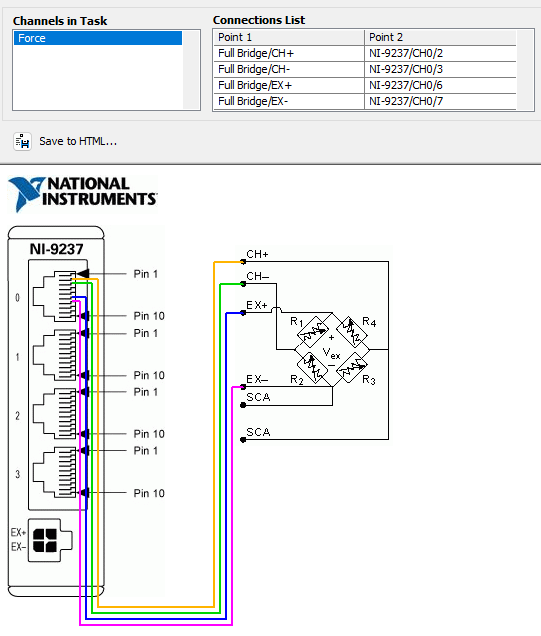
2. Using a USB DAQ (NI 6008, 6009, or new 6001/2)
This is the easier way to go.
Step 1: Find the datasheet for your load cell
Step 2: Identify the range of excitation voltages that your load cell accommodates.
Step 3: Verify that 5VDC is within that acceptable range you found in Step 2.
Step 4: Wire the two EX+/EX- (might be labeled as something else on the load cell data sheet, but the leads that correspond to the excitation voltage) leads to the 5V and GND on your USB DAQ.
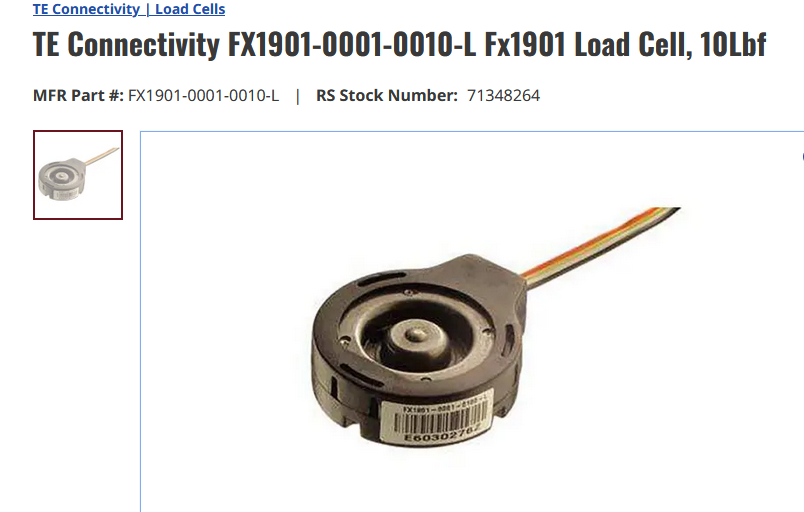
If you're using a FX1901-0001-0010-L , you can follow the color schematic below (V is excitation voltage and O is output voltage):
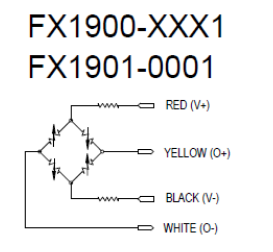
Step 5: Wire the V+/V- leads to analog inputs on your DAQ. For example, you might wire V+ to A0+ and V- to A0-. These wires are where you actually measure the changing voltage generated in response to your applied load; see wires labeled "CH-" and "CH+" in the NI graphic above if you are confused.
Step 6: Launch LabVIEW or NI MAX and click through to "Acquire Signals"; you are simply measuring a voltage from A0 (or whatever channel you chose). This is a differential, not an RSE measurement.
Step 7: To understand your data, you need to perform this calculation:
V_EX * span [mV/V] = max voltage (voltage corresponding to max rated load of your load cell)
So for our cute little 10lbf load cells, the span is 20 mV/V and I applied a 5VDC excitation voltage (V_EX). Therefore, my max voltage should be 0.1 volt, or 5V * 20mV/V = 100 mV. If I know the voltage at zero load, I can construct a linear relationship y = m*x + b where b is my zero offset and m relates force to voltage measured. I will add units for clarity: y [lbs] = m [lbs/mV] * x [mV] + b [lbs]. You'd want to solve for b by recording the voltage at zero load, and multiplying by the appropriate span to convert from mV to lbs.
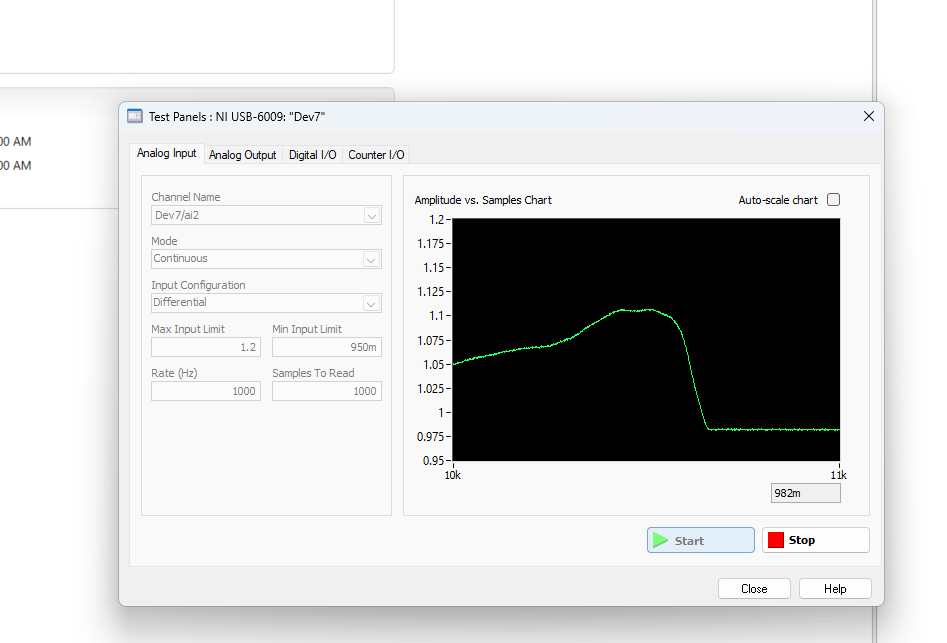
Troubleshooting side note: Check out the screenshot below. The fact that this load cell is clocking in at 1 V and when I release the load (flat line on right side of chart) the value doesn't drop to zero probably means it is probably broken. Let's think about how it broke!