
Laser Cutting FAQ
Key People for Support:
Lia Cucuzzella, Laser Cutting Engineer - Project Depot
Sa'Von Thompson, Laser Cutting Technician - ITLL 1B12
Engineering Support Student Staff - LaunchPoint
WhichHow lasermany cuttersLaser Cutters are offered at the ITLL?ITLL, and what types are they?
We operate five Epilog CO2 laser cutters at the ITLL:
2x Epilog Mini - LaunchPoint
- 40W
cutters,laser - 18
threex 12 inch bed size
3x Epilog Fusion Pro - ITLL 2B05
- 80W
cutters.Laser - 36 x 24 inch bed size
How can I gain access to use the laser cutters, and when may I use them?
Access laseris cuttersgranted arevia accessible for student self-service after takingcompleting the Prototyping Level 1 - Operating the Laser Cutters workshop. TheyThis will teach you the skills you need to create your own parts - using the CorelDraw software to set up your files, selecting settings based on your materials, and running your cuts.
Workshops are typically offered 1-3 times weekly during the Fall and Spring semesters.semesters, and you may sign up after completing the ITLL Tour, For more info,info or to sign up, click on the link above, or chat with the Laser Cutting EngineerEngineer!
After completing the workshop, when may I use the Laser Cutters?
Our cutters are available for self-servive any time the building is open - for more information, please reference our hours here.
Note: As you must be present to monitor your cut while it runs, we ask that any cuts should be finished by the building closing time. Please plan accordingly!
ThereWhat software is not enough filamentused to completeoperate mythe project,Laser canCutters and how may I access it?
The ITLP uses CorelDraw 2024 as its primary software for the laser cutters. You may import files and images from other softwares into this one before sending to the cutters - you changewill learn more about this during the roll?Laser
No,Cutting theseworkshop!
CorelDraw printersis areaccessible equippedon withany filament sensors which will automatically alertof the ITLLdesktop staffcomputers thatin theour filament needs to be replacedspace, and willon pausepersonal thedevices printvia andCEAS re-startCloud whereComputing. it left off after new filament is installed.
How do I export files from OnShape or Solidworks for 3Dlaser printing? cutting?
Be sure to export your file as an .stldxf (typically done by right-clicking on a two-dimensional face) and make sure that the units are millimeters or inches. .CorelDraw will prompt you to select which unit system you are using upon importing.
How to import files into CorelDraw
Can I reserve a printer?Laser Cutter?
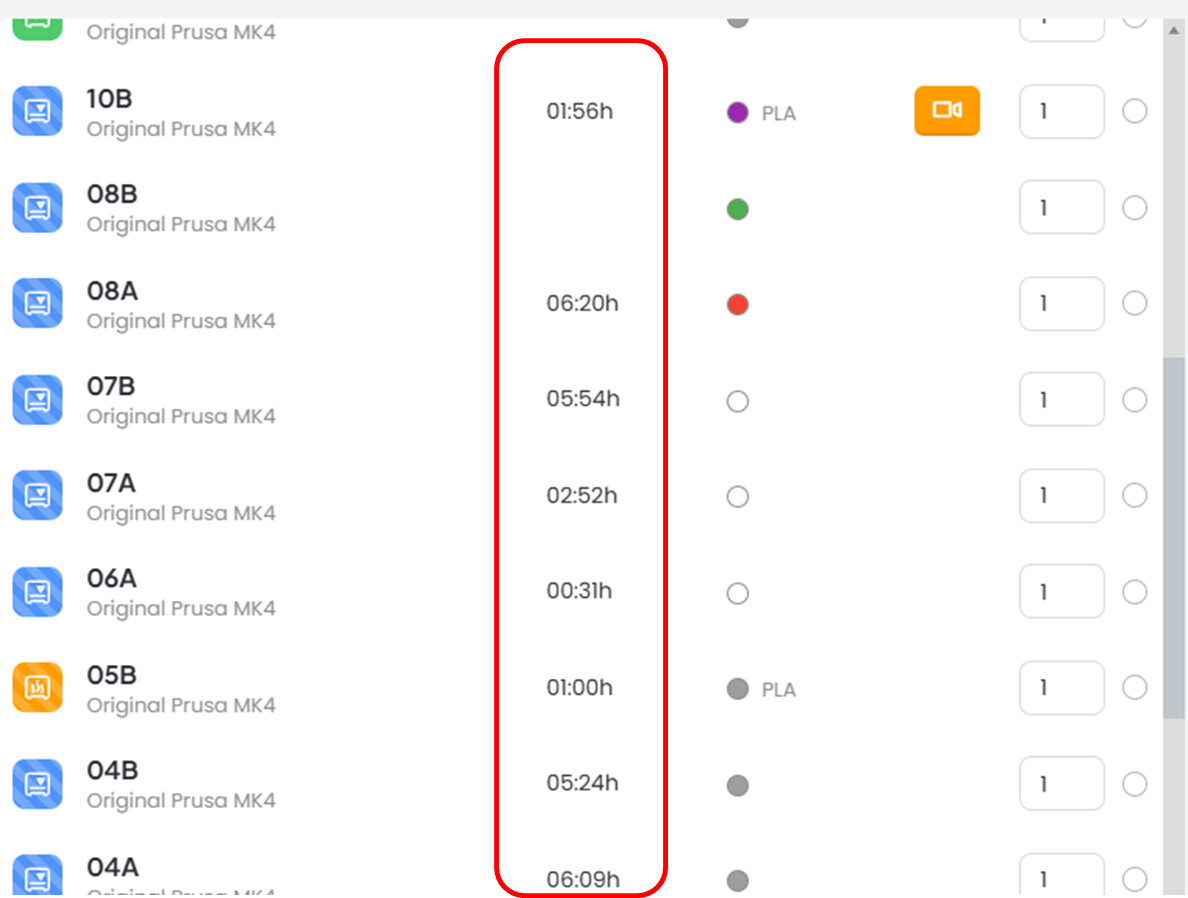
Our printerscutters are strictly first-come, first-served. You can see when printers are going to come available by checking the 'time' column when you press print.
Hot Tip: thereThere is always a printercutter available at 8am. 8am!
What materials may I cut on my own and where can I find them?
You may run jobs with acrylic, craft wood, and cardboard on your own - please reference our setting sheets when doing so!
Sourcing Materials
- The ITLL offers 18x12 inch sheets of Baltic Birch wood and clear Acrylic
- If other colors and/or sizes of wood or acylic are required, these vendors are good choices:
- Colorado Plastics (Their remnants sale - every last friday of the month - is a great opportunity to source acrylic at a discount!)
- Johnson Plastics Plus
- Woodpeckers Crafts
- McGuckin Hardware
- Home Depot
- We also recycle PLA from 3D prints to create laser cuttable sheets! These are offered for free at LaunchPoint and are first-come, first-served - chat with the Engineering Support Student on shift.
Can I print with materials other than PLA and TPU?materials?
Not by yourself. However, you canmay submit a fabrication request to print in PETG or schedule a meetingchat with the 3DPLaser Cutting Engineer ifto youdiscuss are interested inusing other filamentsmaterials and/or- multi-filament printing.
How do I print with TPU onoftentimes the self-service printers?
Make sure that you slice your file using the TPU settings and then use printer 10A which is dedicated to TPU.
Who can I talk to about my 3D Print?
The ESS students at Launch Point should be your first choice for making sure you are optimizing your design for 3D printing. You can always make an appt with the 3DP Engineer as well before printing to chat about your design and how best to manufacture it.
How do I add credit to my 3DPrinterOS account?
After your initial balance is depleted, you can use the ITLL website to re-load your account. Be aware, it may take 24 hours for the balance to show up in your account so plan ahead. If you have paid for a 3DPOS Balance and do not see it reflected in your account, you can ask the ESS to update your account balance.
Go to: Payments -> Make a Payment -> 3D Printer OS Balance
NOTE: Once credited to your account, credit must be used for 3D printing and can not be refunded.
Can I get a refund on my failed print?
Yes and No. We do not give refunds for all failed prints. We have accounted for a few 'learning' prints into the initial credit we give. However, if the machine has an unexplained layer shift while printing or there is a power outage during your print, we will be happy to refund any balance used.
Email the 3DP engineer with your name, printer that was being used and any other info to help them find the print in the system.
How and Why would I use the Markforged or Prusa XL?
The Markforged printers use a filament called Onyx which is a carbon inlaid nylon. This filament is used for high strength parts like gears, handles and higher temperature applications.
The Prusa XL can be used for larger prints that will not fit on the Prusa MK4S printers and also for Multi-filament printing (think TPU integrated into PLA prints...)
To use either of these printers, you will need to submitensure that a Fabricationmaterial Requestis throughsafe to cut, or help you with the Requestsintricacies ->that Makecome awith Requestrunning
Pleasewith addsome asothers.
Some manyexamples detailsof to the Fabrication Request asmaterials you canmay souse that the 3DPwith Engineer can complete your request.assistance/approval:
Be
- Glass
to(EngravingcheckOnly) - Anodized
emailAluminumfor(EngravingquestionsOnly) - Leather
- Rubber
- Foams
Why is my print not sticking to the bed?
There are a few things you can do to your file to help it have the best possible success. First, make sure your part is "on-bed" and not floating in space. Make sure the bed is freshly cleaned with isopropyl alcohol. Add a brim to help it stick especially if you have sharp corners, lots of detail and/or lots of support on the first layer. It's possible that it is time to swap hot ends. After you have made sure that the issue is not with your file, you can talk with an ESS student to see if swapping out the nozzle would be appropriate.
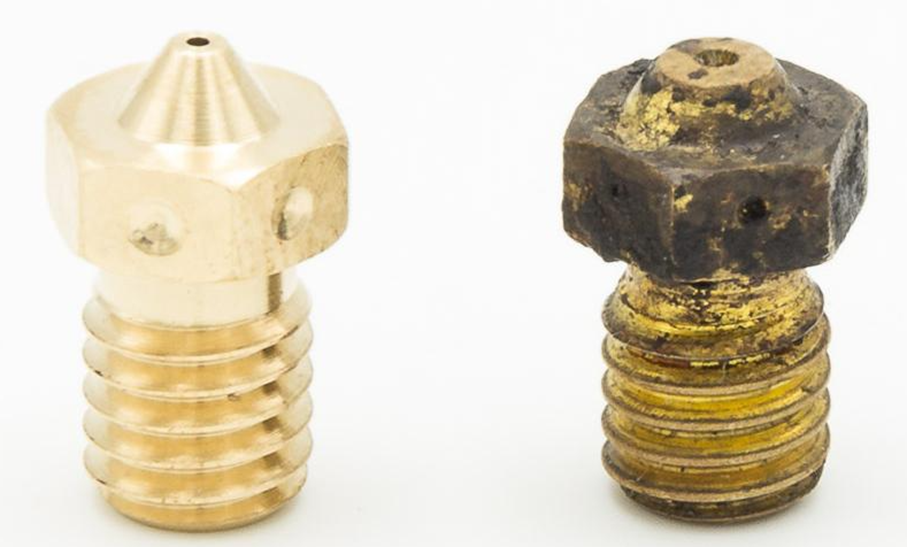
NEW OLD
Where else can I print?Laser Cut?
On Campus: Each campus makerspace has their own policies and procedure. Be sure to contact them to see if and how you can gain access to their spaces.
Here are some nearby:
Off Campus:
SolidState Depot (student discounts available)
ExBuild (for higher definition printing)