View Upcoming & Past Workshops
(on this page)
How to: View my upcoming & past workshops
How to: View workshop completion certificates
How to: Share a workshop completion certificate
How to: View my upcoming & past workshops
- From anywhere on the Platform, click/tap the Profile menu in the navigation bar or mobile menu to go to your Profile page.
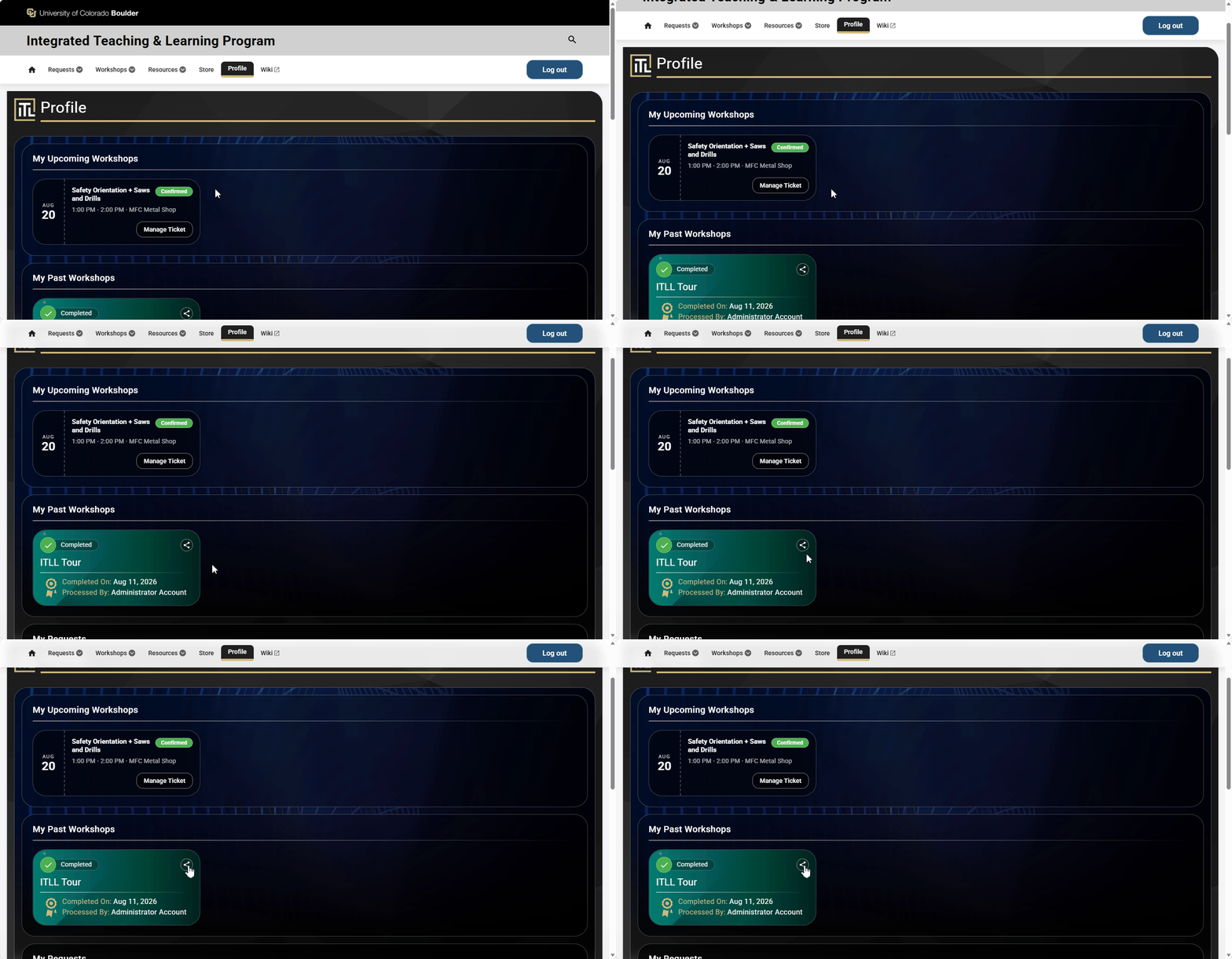
- Under My Upcoming Workshops, you will see all of your upcoming workshops listed.
- Under My Past Workshops, you will see all of your previously attended workshops listed.
- The cards showing your upcoming and past workshops have very limited interactivity and are primarily shown for future and historical reference, respectively.

How to: View workshop completion certificates
Your workshop completion certificates are exactly what is shown in your Profile under My Past Workshops, and include a Completed On date and Processed By to indicate the person that recorded your attendance.
How to: Share a workshop completion certificate
- From anywhere on the Platform, click/tap the Profile menu in the navigation bar or mobile menu to go to your Profile page.
- Under My Past Workshops, you will see all of your previously attended workshops listed.
- Click/tap on the Share icon in the top-right corner of the card, which will open a Share link action, where you can select one of the available apps on your device to send the certificate through.