
PCB Assembly: Stoplight Board
The final workshop of this series is the stoplight PCB assembly. This workshop takes a lot of preparation to ensure all components and assembly bags are ready to go on the day of the workshop.
Preparation
1) Assembly bags will need to be made for each student enrolled in the class. These bags include all of the parts that are essential for the PCB to work as intended. Each bag should have:
|
Components Needed in Bag |
Picture of component |
|
Stoplight PCB |
|
|
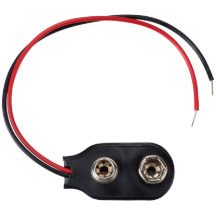
9V Battery Connector |
|
|
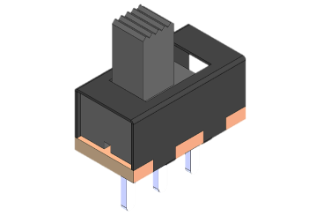
Toggle Switch |
|
|
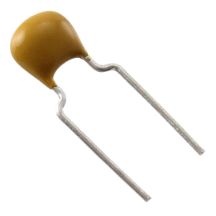
1x 0.1 uF Capacitor 1x 0.33 uF Capacitor |
|
|
Voltage Regulator (LM7805) |
|
|
10k Resistor |
|
|
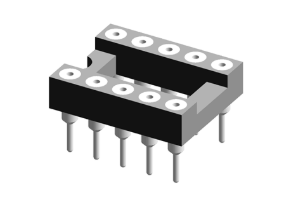
8-pin DIP socket |
|
|
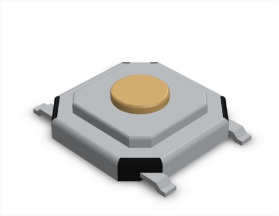
Push Button (SMD) |
|
|
3x LED’s (Green Yellow Red) (SMD) |
|
|
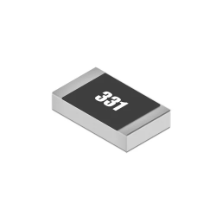
3x 330 ohm Resistors (SMD) |
|




2) All of the ATTiny85 IC's needs to be ordered, bootloaded through the Arduino IDE software, and loaded with the stoplight code (StopLight.ino)
3) Check that the code works on a working stoplight PCB. I would assemble a new board and check all IC's to verify both the newly ordered PCB's and IC's are all working as expected.
Bring to the Workshop
-
Soldering Kit Workshop Cart (grey cart with wood top in EFAB)
- Tweezers and Micro wire Cutters (should be in grey cart)
- Assembly bags + IC's + Extra components
- PCB Stencils + Solder Paste + Solder Paste Scarper
- Component Identification sheet
Teaching Workshop
1) Students are given bags and an identification sheet, they are asked to identify all components in their bag, find where they go on the PCB, and if they must be placed in a specific orientation. Check each students work off for them to start the next steps.
2) With the PCB stencil, students then learn how to apply solder paste to the surface mount pads of their board. Teach them how to fix the stencil in place, line it up, and spread the paste (one swipe to apply and another to spread excess off).
3) Students will then move to assembly and soldering. They will need to grab a soldering kit from the cart (make sure they solder on the mats). Students can plug soldering irons into the lab station hutch outlets. They should start by placing and soldering their surface mount components. Then move to the through hole soldering on the bottom side of the board. Make sure students know that the order of which they solder components matters. Smaller through hole components (in height) should be soldered first for components to stay flush to the board (important to reduce risk of short circuiting or components snapping off).
4) Check board is properly assembled and all joints are soldered. Once verified, students are then allowed to plug in ATtinty85 microcontroller (in proper orientation) and 9v battery.
5) If the board does not work, introduce students to the multimeters at the lab stations and show them how to troubleshoot connections (checking continuity and measure voltage)